> For the complete documentation index, see [llms.txt](https://academy.shade.inc/llms.txt). Markdown versions of documentation pages are available by appending `.md` to page URLs; this page is available as [Markdown](https://academy.shade.inc/shade-academy/shade-academy-es/primeros-pasos/learn-80-of-shade-in-2-minutes.md).
# Aprende el 80% de Shade en 2 minutos
La mayoría de las formas en que usarás Shade en el día a día se pueden aprender en [2 minutos](https://www.youtube.com/watch?v=qiTMrJkC40Q).
{% stepper %}
{% step %}
## Usa lenguaje natural en tu búsqueda con IA
Nuestra búsqueda neuronal funciona mejor cuando usas lenguaje natural en lugar de etiquetas. También puedes buscar una carpeta individual en lugar de la unidad actual con **`cmd/ctrl+f`**. Alternativamente, puedes acceder a la Búsqueda con IA a través de nuestra Paleta de comandos con **`cmd/ctrl+k`**
{% endstep %}
{% step %}
## Filtra por atributos específicos
Ajusta los filtros con precisión en atributos a nivel de archivo o metadatos personalizados.
{% endstep %}
{% step %}
## Comparte externamente con invitaciones o enlaces publicados
Haz clic derecho en cualquier carpeta o recurso para invitar a colaboradores por correo electrónico o enviar enlaces publicados con contraseñas opcionales, fechas de vencimiento y límites de visualización.
{% endstep %}
{% step %}
## Administra tu montaje de ShadeFS
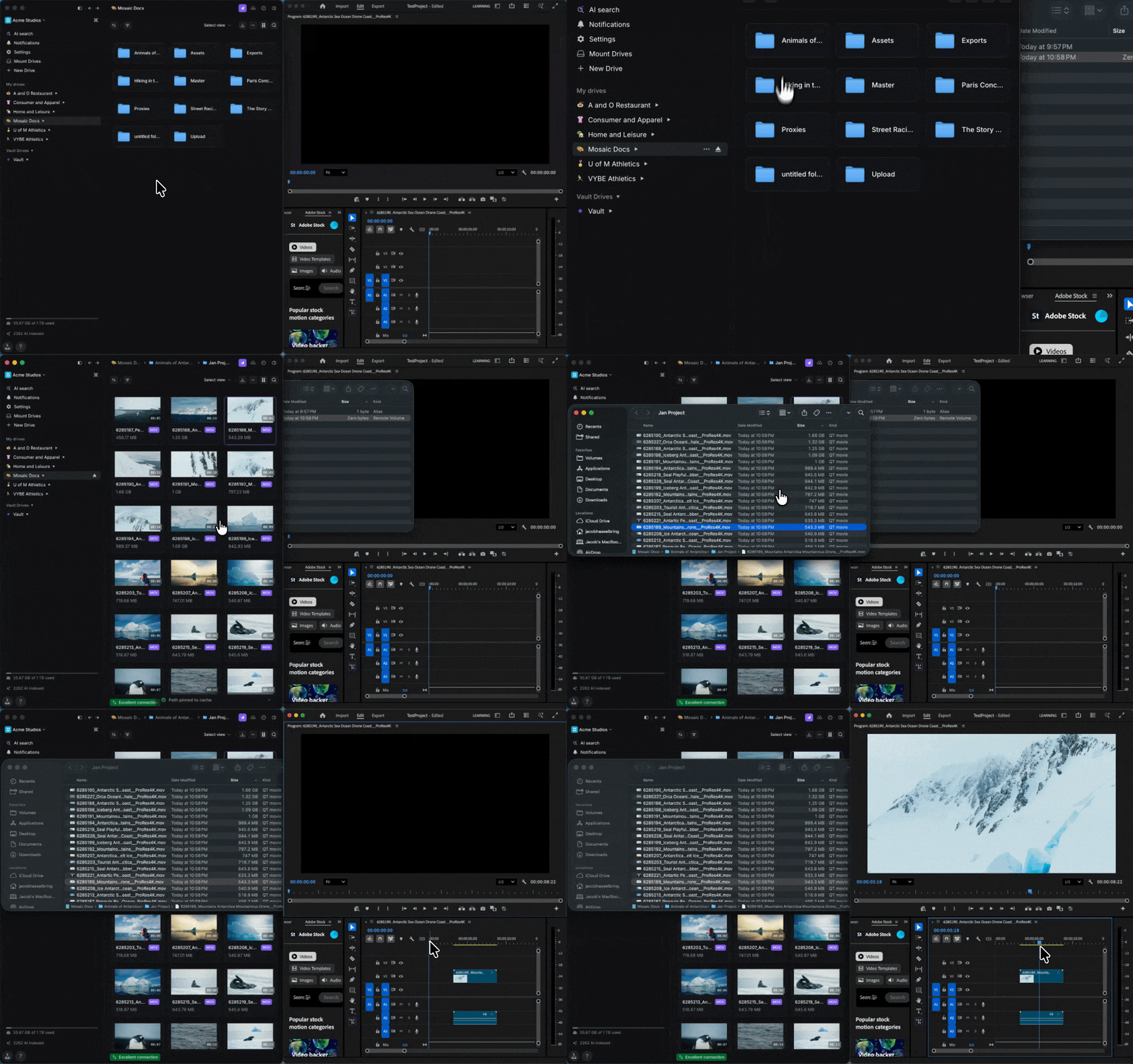
ShadeFS funciona asignando espacio de caché en tu computadora o en un directorio externo. Después de configurar ShadeFS, puedes ajustar estos parámetros y empezar a trabajar pulsando “mount” en cualquier unidad del panel izquierdo. Haz clic derecho en cualquier archivo o carpeta y selecciona "Pin to Cache" para mantener los recursos importantes disponibles sin conexión para acceso instantáneo.
{% endstep %}
{% step %}
## Pónlo todo junto
Comienza con una búsqueda con IA para encontrar lo que buscas, revisa los comentarios y abre el archivo localmente para empezar a trabajar.
{% endstep %}
{% endstepper %}
---
# Agent Instructions
This documentation is published with GitBook. GitBook is the documentation platform designed so that both humans and AI agents can read, navigate, and reason over technical content effectively. Learn more at gitbook.com.
## Querying This Documentation
If you need additional information that is not directly available in this page, you can query the documentation by asking a question.
Perform an HTTP GET request on the following URL with the `ask` and `goal` query parameters:
```
GET https://academy.shade.inc/shade-academy/shade-academy-es/primeros-pasos/learn-80-of-shade-in-2-minutes.md?ask=&goal=
```
`ask` is the immediate question: it should be specific, self-contained, and written in natural language.
`goal` is what the user is ultimately trying to achieve, the reason they need the answer. Sharing it helps GitBook give you a better, more relevant answer. A goal is most helpful when it describes the outcome the user wants rather than restating the question. For example, with `ask=how do I create an API token`, a goal like `automate deployments from our CI pipeline` lets GitBook tailor the answer to that use case.
The response will contain a direct answer to the question and relevant excerpts and sources from the documentation.
Use this mechanism when the answer is not explicitly present in the current page, you need clarification or additional context, or you want to retrieve related documentation sections.